Forex CRM: The Definition
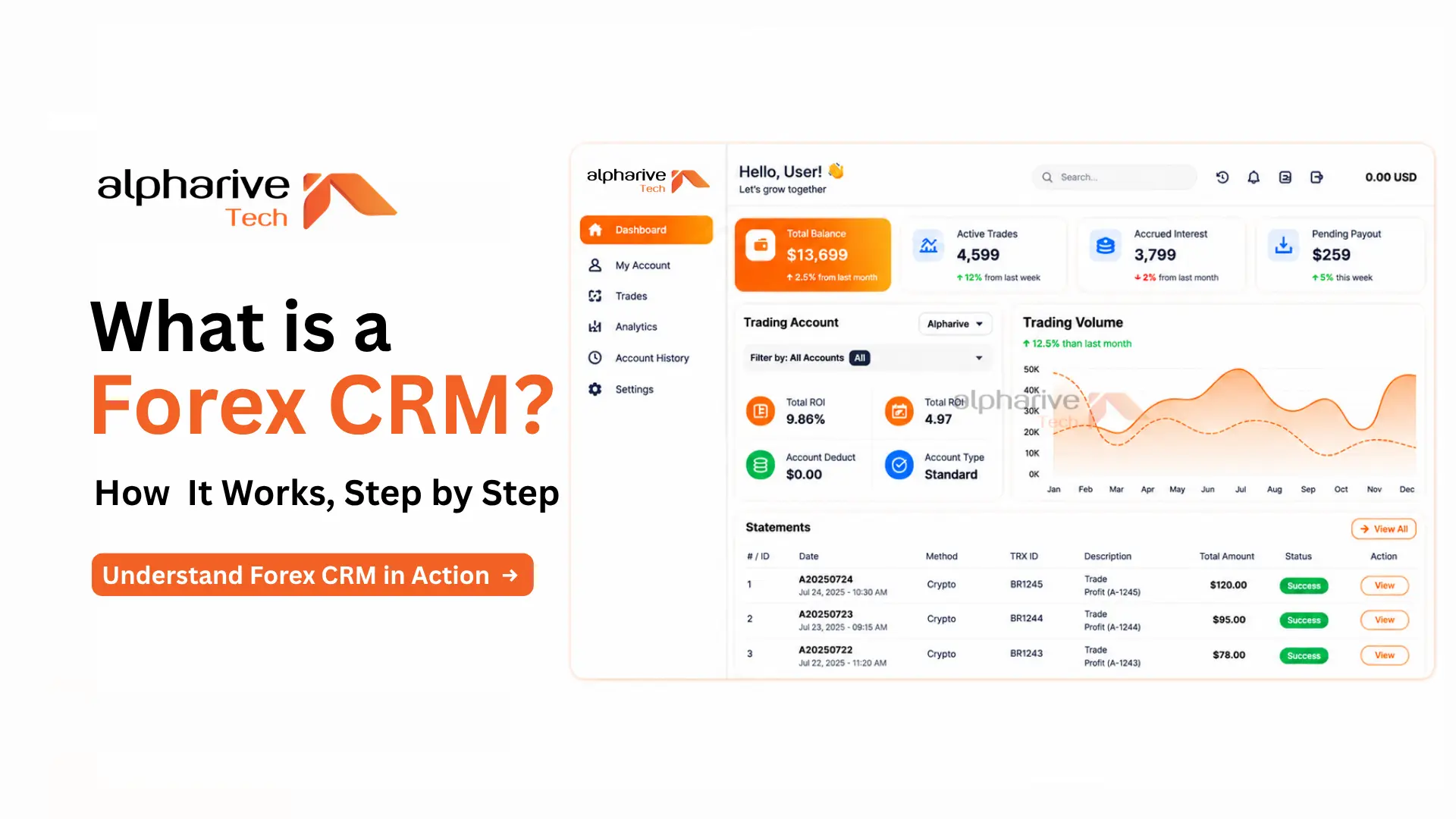
A forex CRM is the operating system of a brokerage. It is software that manages every client of an FX/CFD broker from first click to withdrawal, and it is connected directly to the trading platform (MT4, MT5, cTrader) so that client data and trading accounts stay in sync.
In one sentence: the trading platform is where clients trade; the forex CRM is where the broker runs the business around those trades.
A forex CRM is usually made up of three connected parts:
Part | Used by | What happens there |
|---|---|---|
Back office | Broker staff (sales, compliance, finance, dealing) | Approve KYC, process payments, manage accounts, run reports |
Client portal (trader's room) | Traders | Register, upload documents, deposit, open MT5 accounts, withdraw |
IB portal | Introducing brokers and affiliates | Track referred clients, volumes and commissions |
How is it different from Salesforce or HubSpot? See Generic CRM vs Forex CRM.
How a forex CRM works: the full client journey
Here is what happens inside the CRM at each stage, and which data moves where.
Step 1: Lead capture. A visitor arrives from an ad, the website or an IB referral link. The CRM records the lead with its source, campaign and IB tag, and assigns it to a sales agent or desk automatically based on country or language. Data flow: website/ad → CRM lead record.
Step 2: Registration. The lead signs up on the client portal. The CRM turns the lead into a client profile and sends a verification email or SMS. Data flow: client portal → CRM client profile.
Step 3: KYC and compliance. The client uploads ID and proof of address. The CRM sends them to an ID-verification provider or a compliance officer, gives the client a risk score, and checks jurisdiction rules (for example, blocking restricted countries). Data flow: portal → KYC provider → CRM status (approved, pending or rejected) → audit log.
Step 4: Trading account creation. Once KYC is approved, the CRM uses the trading server's API to create a live MT5 account with the right group, leverage and currency, and sends the login credentials to the client. No one in the back office creates it by hand. Data flow: CRM → MT5 server → login sent to client.
Step 5: Deposit. The client chooses a payment method (card, bank wire, local method or crypto). The payment provider confirms the payment, and the CRM credits the MT5 balance automatically and records the transaction for finance. Data flow: portal → payment provider → CRM → MT5 balance.
Step 6: Trading activity sync. As the client trades, the CRM pulls equity, volume, open positions and P&L from MT5. Sales and retention teams see when a client is active, inactive or close to a margin call. Data flow: MT5 → CRM dashboards.
Step 7: IB commissions. The CRM calculates commissions for each lot or spread for every IB in the referral tree, and pays them to the IB's wallet on schedule. Data flow: MT5 trade data → CRM commission engine → IB wallet.
Step 8: Withdrawal. The client requests a withdrawal. The CRM sends it through compliance and finance approval, debits the MT5 account, and sends the payout through the payment provider. Data flow: portal → CRM approval workflow → MT5 debit → payment provider.
Step 9: Retention and reporting. Inactive clients trigger tasks or campaigns. Management sees FTDs, net deposits, LTV and desk performance in real time. Data flow: CRM data → reports and automations.
Why brokers can't run on spreadsheets and a generic CRM
Without a forex CRM, every step above involves manual work: copying KYC files, creating MT5 accounts by hand, matching deposits to accounts, calculating IB payouts in Excel. That leads to slow onboarding, payment errors, compliance gaps and clients leaving. A forex CRM automates the handoffs between these steps.
Go deeper
- Features: the full module checklist is in Essential features of a forex CRM.
- MT5 integration: how the sync works technically is covered in MT5 account integration.
- Choosing a vendor: use our How to choose forex CRM software guide.
- Comparing products: see Best forex CRM software in 2026.
- Budgeting: read Cost to build a forex CRM.
- Prop firms: see Prop firm CRM software.
FAQ
What is a forex CRM program?
Software that runs a brokerage's client lifecycle (onboarding, KYC, deposits, trading accounts, IBs and withdrawals) and is connected to platforms like MT5.
What is the difference between a forex CRM and a back office?
The back office is the staff-facing part of a forex CRM. A complete CRM also includes the client portal and the IB portal.
Does a forex CRM replace MetaTrader?
No. MT4/MT5 runs the trading. The CRM manages the clients and money around it, and the two are connected through APIs.
Who uses a forex CRM?
FX/CFD brokers, prop trading firms, white-label brokers and IB networks.
See it in action
Alpharive's forex CRM software automates this whole journey with native MT4/MT5 integration. Book a demo.